Home / PDF Sam Split and Merge
Key feature overview

PDF Sam Split and Merge

How to split one PDF or merge multiple files with PDFsam Basic on Windows.

Quick answer: PDFsam (PDF Split and Merge) is a desktop application family. The free Basic edition offers dedicated Merge and Split tools. Choose Merge to append documents, or Split to create multiple files from one PDF.

Split vs. merge: which operation do you need?

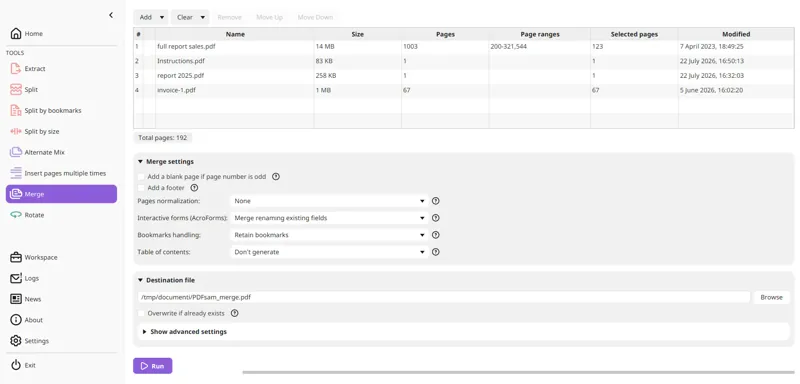
Merge documents PDFsam exampleMerge

Merge documents

Combine PDF A and PDF B into a single output file.

Read guide →
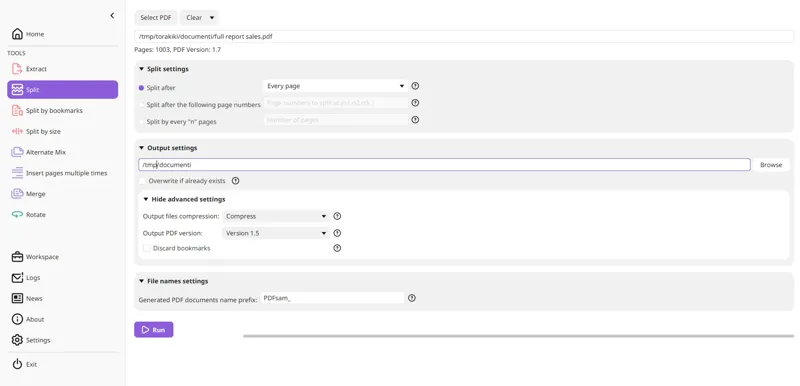
Split a document PDFsam exampleSplit

Split a document

Create several files from one input PDF.

Read guide →

A practical two-minute workflow

  1. Install and open PDFsam Basic.
  2. Select Merge or Split, not a similarly named commercial edition.
  3. Add local PDF files, choose page ranges or split points and set the output folder.
  4. Run the task, then verify every important page in a PDF reader.

What Basic does not do

It does not edit letters inside an existing PDF page or run OCR. For detailed setup see PDFsam Basic Download.